














 Email
Email SMS
SMS Whatsapp
 Web Push
 App Push
 Audience Sync for Ads
 Popups
 Channel A/B Testing
  Control groups Analysis
 Frequency Capping
 Funnel Analysis
 Cohort Analysis
 RFM Analysis
 Signup Forms
 Surveys
 NPS
NPS Landing pages personalization
  Website A/B Testing
  PWA/TWA
 Heatmaps
 Session Recording
 Wix
Wix Shopify
 Magento
 Woocommerce
 eCommerce D2C
  Mutual Funds
 Insurance
 Lending
  Recipes
  Knowledgebase
 Developer Docs
 Product Updates
 App Marketplace
 Academy
 Ebooks
 Case Studies
 Blog
Blog Templates
 Tanya
Tanya2026 Verdict
Mailchimp wins for most businesses — stronger automation, a free plan (250 contacts), better analytics, AI-powered tools, and 300+ integrations. Constant Contact wins on one thing that matters to a specific audience: phone support.
Choose Mailchimp if you need advanced automation, ecommerce integrations, or want to start without paying anything. Choose Constant Contact if live phone support and simplicity are your top priorities, you manage events, or you are a nonprofit (Constant Contact offers a 20–30% nonprofit discount). If you need omnichannel marketing beyond email — SMS, push, WhatsApp, in-app — neither platform was designed for that. See NVECTA below.
Constant Contact vs Mailchimp — 2026 Pricing Comparison
Pricing is where this comparison becomes most concrete. Both platforms have made significant changes in 2025–2026 that affect value calculations at every list size.
| Plan | Mailchimp | Constant Contact | Winner |
|---|---|---|---|
| Free / Trial | Free plan — 250 contacts, 500 sends/mo (cut from 2,000 in 2025) | No free plan — 60-day free trial only. Paid from day 61. | Mailchimp |
| Entry paid (500 contacts) | Essentials — $13/mo. Includes basic automation + templates. | Lite — $12/mo. No A/B testing, no email scheduling on Lite. | Mailchimp |
| Mid tier (500 contacts) | Standard — $20/mo. Full automation, A/B testing, send-time optimisation. | Standard — $35/mo. Adds automation and A/B testing (unavailable on Lite). | Mailchimp |
| At 2,000 contacts | Essentials approx. $26.50/mo | Lite jumps to $70/mo at 2,000 contacts | Mailchimp |
| Advanced (500 contacts) | Premium — $350/mo. Multivariate testing, advanced segmentation, phone support. | Premium — $80/mo. Advanced automation + advertising features. | Constant Contact |
| Contact billing | Charges for unsubscribed contacts — bill grows as list ages even if engagement drops | Contact-based — only active subscribers billed but pricing scales steeply | Constant Contact |
The most important 2026 pricing update: Mailchimp cut its free plan from 2,000 contacts to 250 contacts in 2025. This change has pushed many small businesses to re-evaluate both platforms. Constant Contact’s entry-level Lite plan at $12/mo looks competitive on paper — but automation and A/B testing are locked behind the $35/mo Standard plan, which means the real comparison for growing teams is $20/mo (Mailchimp Standard) vs $35/mo (Constant Contact Standard), for broadly similar capabilities.
Constant Contact vs Mailchimp — Category-by-Category (2026)
| Category | Mailchimp | Constant Contact | Winner |
|---|---|---|---|
| Automation | Customer Journey Builder — multi-step with if/else branching, time delays, behavioural triggers. Available from Standard. | 3 pre-built templates (welcome, birthday, anniversary) on Standard. Custom workflows require Premium ($80/mo). No visual builder comparable to Mailchimp. | Mailchimp |
| Pricing / Free plan | Free plan (250 contacts). Cheaper at most tiers. Standard $20/mo unlocks full automation + AI. | No free plan — trial only. Automation costs $35/mo minimum. Scales steeply ($70/mo at 2,000 contacts). | Mailchimp |
| Ease of use | Modern editor, campaign navigation tool. More features means more to learn — advanced options take time to find. | Simpler by design. Fewer features = less to navigate. Easier for non-technical users to get started quickly. | Constant Contact |
| Deliverability | 85–90% in independent tests. Variable depending on sender reputation and list hygiene. | 88% average in independent benchmarks. Long track record (since 1995) and strict anti-spam policies. Consistent. | Constant Contact |
| Templates | 100+ templates, well-categorised. Modern editor with more content blocks. HTML import option. | 200+ templates — more options, simpler customisation. AI template generation in 2026 (beta). | Constant Contact |
| Integrations | 300+ native integrations — Shopify, WooCommerce, Salesforce, Canva, WordPress. Broader ecommerce ecosystem. | Solid set — Square, Xero, social platforms, website builders. More limited native integrations but covers most SMB needs. | Mailchimp |
| Analytics | Revenue attribution, comparative reporting across campaigns, send-time optimisation. More actionable data. | Opens, clicks, bounces, unsubscribes, heat maps. No revenue attribution or cross-campaign comparative reporting. | Mailchimp |
| Customer support | Email + chat on paid plans. Phone support on Premium only ($350/mo). Free plan gets email only. | Phone support on all paid tiers — including Lite at $12/mo. This is Constant Contact’s most unique differentiator in 2026. | Constant Contact |
| AI features | Intuit Assist — AI writing, content optimisation, subject line suggestions, send-time optimisation. Full suite integrated. | Beta AI email template generation — limited to basic content tasks. No AI marketing strategist equivalent. | Mailchimp |
If you’re looking for a marketing platform to help you connect with your audience, you’ve probably come across these three options. Each one offers unique features and benefits, but deciding which is the best fit for your needs can be challenging.
In this post, we’ll provide an overview of Constant Contact vs Mailchimp vs NVECTA, and compare their key features, pricing, and usability. By the end of this article, you should better understand which marketing platform is right for you. So, let’s dive in!
I. Constant Contact

Constant Contact is an email marketing platform that enables small businesses and nonprofits to create and send professional-looking email campaigns to their customers and members. It was founded in 1995 and has become one of the most popular email marketing services available today, with over 650,000 customers worldwide.
Here are some of the key features of Constant Contact:
- Customizable Templates: Constant Contact provides a library of professionally designed email templates that can be customized to fit your brand’s look and feel. You can choose from various layouts, color schemes, and fonts to create an email campaign that matches your business’s unique style.
- List Management: Constant Contact allows you to manage your email contacts easily. You can import contacts from a spreadsheet, manually add or delete contacts, and segment your list based on different criteria, such as location, interests, or engagement.
- Automation: With Constant Contact, you can create automated email campaigns that trigger based on subscriber behavior, such as opening an email or clicking on a link. This feature saves time and ensures subscribers receive relevant content quickly.
- Reporting and Analytics: Constant Contact provides detailed reports on the performance of your email campaigns, including open rates, click-through rates, and bounce rates. This data can help you make informed decisions on improving your email marketing strategy.
- Event Management: In addition to email marketing, Constant Contact offers tools for event management, such as event registration and promotion, ticket sales, and tracking RSVPs.
- Social Media Marketing Integrations: Constant Contact integrates with various social media platforms, such as Facebook and Instagram, allowing you to promote your email campaigns and reach a broader audience.
Pricing Structure and Plans

Constant Contact offers two pricing plans: Email and Email Plus. Here’s an overview of the latest pricing structure and plans:
- Email and Digital Marketing Plan: This offers 3 plans: Email Lite, which starts at ₹990/month, Standard Plan, which is their recommended plan and starts at ₹2888/month and Premium Plan starting at ₹6600/month.
Their prices are based on the number of contacts. It’s important to note that pricing may vary based on the number of contacts you have, and you can add more contacts to your plan for an additional fee. The plan includes customizable templates, list management, automation, reporting and analytics, and social media marketing integrations.
- Lead Generation and CRM Plan: This plan starts at USD 449/month. It offers Lead Gen & Scoring, Marketing Automation, Customer Relationship Management (CRM), Pipeline Management and Sales Automation.
Pros and Cons of using Constant Contact
Pros of Constant Contact:
- User-Friendly Interface: Constant Contact has a user-friendly interface that is easy to use even for beginners, allowing users to create and send professional-looking email campaigns quickly and easily.
- Customizable Templates: Constant Contact offers a wide range of email templates allowing users to personalize their email campaigns according to their brand and marketing goals.
- List Management: Constant Contact’s list management features allow users to manage their email list easily, segment it based on different criteria, and remove inactive or bounced emails.
- Automation: Constant Contact offers automation features that allow users to set up automated email campaigns based on customer behaviour and preferences, such as welcome emails, birthday greetings, and abandoned cart emails.
- Customer Support: Constant Contact provides excellent customer support through phone, email, and chat, with knowledgeable representatives available to assist users with their questions and issues.
Cons of Constant Contact:
- Limited A/B Testing: Constant Contact’s A/B testing features are limited compared to other email marketing platforms, making it difficult for users to test and optimize their email campaigns.
- Price: Constant Contact can be more expensive than other email marketing platforms, especially for businesses with larger email lists.
- Limited Integrations: Constant Contact has limited integrations with other marketing tools and platforms, which may limit its flexibility for some users.
- No Free Plan: Constant Contact does not offer a free plan, which may disadvantage small businesses or users with limited budgets.
- Basic Analytics: Constant Contact’s analytics features are basic compared to other email marketing platforms, which may limit users’ ability to analyze and optimize their email campaigns.
Still not sure? Just Click Below
II. Mailchimp

Mailchimp is an all-in-one marketing platform that enables businesses of all sizes to automate and optimize their marketing efforts. Founded in 2001, Mailchimp has grown to become one of the world’s largest marketing automation platforms, with over 20 million users across the globe.
Here are some of the key features Mailchimp
- Email Marketing: Mailchimp’s email marketing feature allows businesses to create and send customized email campaigns to their subscribers. It offers a drag-and-drop email builder, pre-designed templates, A/B testing, and automation features.
- Marketing CRM: Mailchimp’s marketing CRM feature enables businesses to manage their contacts and customer data. It includes audience segmentation tools, contact profiles, and audience insights.
- Landing Pages: Mailchimp’s landing page feature enables businesses to create and publish landing pages without any coding skills. It includes pre-designed templates, customization options, and tracking and reporting features.
- Marketing Automation: Mailchimp’s marketing automation feature enables businesses to automate their marketing campaigns based on customer behavior and preferences. It includes automation workflows, trigger-based emails, and abandoned cart emails.
- Social Media Management: Mailchimp’s feature enables businesses to manage their social media accounts and create social media campaigns. It includes a content studio, social post scheduling, and analytics.
- E-commerce Marketing: Mailchimp’s e-commerce marketing feature enables businesses to sell their products and services online. It includes integration with popular e-commerce platforms, such as Shopify and WooCommerce, and features, such as product recommendations, retargeting ads, and abandoned cart emails.
- Analytics and Reporting: Mailchimp’s analytics and reporting feature enables businesses to track the performance of their marketing campaigns. It includes detailed reports on email campaign performance, audience engagement, social media campaigns, and e-commerce sales.
Pricing structure and plans

- Free Plan: This plan contains up to 1000 emails/month. It has audience dashboards, basic email templates, marketing CRM, and CRM tools.
- Essentials Plan: This plan is free for one month and starts at ₹770/month. It includes up to 5000 email sends. It offers customer support, pre-built email templates, basic reporting and analytics, 300+ integrations, creative assistance, etc.
- Standard Plan: This plan is free for one month and starts at ₹1,150/month. It includes all the Essentials plan’s features and additional features like retargeting ads, A/B Testing, custom templates, campaign monitoring and behavioral targeting.
- Premium Plan: This plan starts at ₹23,000/month. It includes all the Standard plan features, including multivariate testing, advanced segmentation, comparative reporting, and phone support.
Pros and Cons of using Mailchimp
Pros of Mailchimp:
- User-Friendly Interface: Mailchimp has a user-friendly interface that is easy to use even for beginners, allowing users to create and send professional-looking email campaigns quickly and easily.
- Customizable Templates: Mailchimp offers a wide range of email templates allowing users to personalize their email campaigns according to their brand and marketing goals.
- Advanced Segmentation: Mailchimp’s segmentation tools allow users to segment their email list based on a wide range of criteria, such as demographics, behavior, and engagement, enabling users to create highly targeted campaigns.
- Automation: Mailchimp offers advanced automation features that allow users to set up automated email campaigns based on customer behavior and preferences, such as welcome emails, birthday greetings, and abandoned cart emails.
- Integrations: Mailchimp integrates with a wide range of other marketing tools and platforms, including social media, e-commerce, and CRMs, providing users with a high degree of flexibility.
Cons of Mailchimp:
- Price: Mailchimp can be more expensive than other email marketing platforms, especially for businesses with larger email lists.
- Limited A/B Testing: Mailchimp’s A/B testing features are limited compared to other email marketing platforms, making it difficult for users to test and optimize their email campaigns.
- Limited Customer Support: Mailchimp’s customer support options are limited for users on lower-tier plans, with email support only available on the free plan.
- Limited Reporting: Mailchimp’s reporting features are basic compared to other email marketing platforms, which may limit users’ ability to analyze and optimize their email campaigns.
- Compliance Restrictions: Mailchimp has strict compliance restrictions, and users who violate them may risk having their accounts suspended or terminated.
III. NVECTA
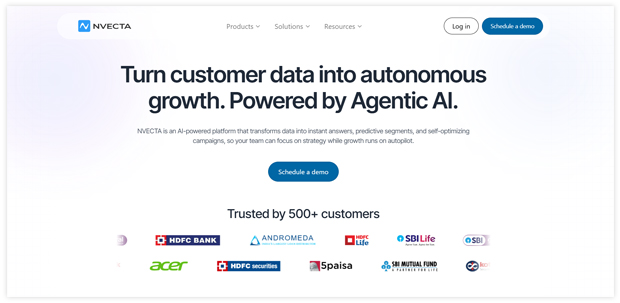
NVECTA is an omnichannel marketing platform that offers email marketing, sms marketing, push notifications and allows businesses to engage with their website visitors by sending them targeted and personalized messages.
The platform offers many features, including segmentation, automation, A/B testing, and analytics, to help businesses create effective push notification campaigns.
With NVECTA, businesses can segment their website visitors based on various criteria, such as location, behavior, and interests, and send personalized messages to each segment.
The platform also offers automation features that allow businesses to set up triggered notifications based on visitor behavior, such as abandoned cart reminders or welcome messages.
NVECTA also provides A/B testing capabilities, which allow businesses to test different messaging and targeting strategies to optimize their push notification campaigns. The platform also offers detailed analytics and reporting to help businesses track the performance of their campaigns and make data-driven decisions.
Here are some of the key features NVECTA
- Segmentation: NVECTA allows businesses to segment their website visitors based on criteria such as location, behavior, and interests. It enables businesses to send targeted and personalized push notifications to each segment.
- Automation: The platform offers automation features that allow businesses to set up triggered notifications based on visitor behavior, such as abandoned cart reminders or welcome messages. It helps businesses engage with their visitors in real-time and increase conversions.
- A/B testing: NVECTA provides A/B testing capabilities, which allow businesses to test different messaging and targeting strategies to optimize their push notification campaigns. It helps businesses improve the effectiveness of their campaigns and achieve better results.
- Personalization: NVECTA lets businesses personalize their push notifications by adding dynamic content such as the visitor’s name, location, or behavior. It helps businesses create more engaging and relevant notifications that drive better results.
- Multi-channel support: Besides web push notifications, NVECTA also supports other communication channels such as email, SMS, and in-app notifications. It enables businesses to create a cohesive and multi-channel communication strategy.
- Analytics and reporting: NVECTA provides detailed analytics and reporting to help businesses track the performance of their campaigns and make data-driven decisions. It includes click-through rates, conversion rates, and revenue generated.
- Custom branding: NVECTA allows businesses to customize the look and feel of their push notifications with their branding, including colors, logos, and images. It helps businesses create a consistent brand experience across all touchpoints.
- Dynamic segmentation: Besides basic segmentation criteria, NVECTA also allows businesses to segment their visitors based on more complex criteria such as purchase history, page views, and time spent on site. It enables businesses to create highly targeted campaigns that resonate with their visitors.
- Scheduled campaigns: NVECTA allows businesses to schedule their push notification campaigns in advance to plan and execute their campaigns more efficiently. It is especially useful for businesses that want to coordinate push notifications with other marketing activities.
- Customer support: NVECTA provides customer support through various email, phone, and live chat channels. It ensures that businesses can get the help they need and resolve any issues or concerns quickly.
Pricing structure and plans
- Free Plan: NVECTA’s free plan includes up to 1000 subscribers and 1,000 email sends per month. This plan includes basic features like push notifications, in-app messages, and web notifications.
- Startups Plan: NVECTA’s Startups plan starts at $60 per month and includes up to 10,000 contacts and 30,000 email sends per month. This plan includes advanced features such as A/B testing, automation, unlimited push notifications, on-site popups, and segmentation.
- Growth Plan: NVECTA’s Growth plan starts at $110 per month and includes up to 10,000 contacts, and 30,000 email sends per month. This plan includes all of the features of the Starter plan and additional features such as API access and custom branding.
Pros of using NVECTA
- Multi-channel marketing: NVECTA offers multi-channel marketing features, including email, push notifications, SMS, and in-app notifications.
- Advanced targeting: NVECTA allows for advanced targeting options, such as geo-targeting, behavioral targeting, and device targeting.
- Personalization: NVECTA allows for easy personalization of notifications, such as using customer names, locations, or past purchase history.
- Customization: NVECTA offers a high level of message customization, including design options and the ability to add images, videos, or buttons.
- Reporting and analytics: NVECTA provides detailed reporting and analytics on campaign performance, including open rates, click-through rates, and conversion rates.
Let us now see a comparative table of Constant Contact vs Mailchimp vs NVECTA
Comparing Constant Contact vs Mailchimp vs NVECTA
| Basis | Constant Contact | Mailchimp | NVECTA |
| Free Plan | No | Yes | Yes |
| Best For | Email marketing, event marketing | Email marketing, Social media advertising | eCommerce Email marketing, sms marketing, push notifications, personalization and advanced segmentation |
| Ratings | 4.2/5 | 3.5/5 | 5/5 |
| Customer Support | Phone, email and chat | Email and Chat | 24/7 email, and phone support |
| Push Notifications | Yes | Yes | Yes |
| Automations | Autoresponders, triggered emails, surveys and polls | Automation workflows, triggered emails | Triggered notifications, cart abandonment reminders |
| Extra Features | Survey and poll tools, event management, social media marketing | Landing page builder, Facebook and Instagram ad campaigns, postcards | A/B testing, personalization, multi-channel support, email marketing, SMS |
| Factors | Constant Contact | Mailchimp | NVECTA |
| Automated email campaigns | Yes | Yes | Yes |
| Journey Builder | Yes | Yes | Yes |
| A/B testing | Yes | Yes | Yes |
| Drag and Drop editor | Yes | Yes | Yes |
| Email Scheduling | Yes | Yes | Yes |
| Conversion Tracking | Yes | Yes | Yes |
| Personalized and Dynamic Content | Yes | Yes | Yes |
| Scheduled reporting | Yes | Yes | Yes |
| Control group analysis | Yes | Yes | Yes |
| Campaign booster | Yes | Yes | Yes |
SMS
| Factors | Constant Contact | Mailchimp | NVECTA |
| Automated campaigns | Yes | Yes | Yes |
| Segmentation | Yes | Yes | Yes |
| A/B testing | Yes | Yes | Yes |
| Landing pages | Yes | Yes | Yes |
| Sign up boxes | Yes | Yes | Yes |
| Campaign Reports | Yes | Yes | Yes |
Which is the ideal solution for you?
NVECTA is a different platform type compared to Mailchimp and Constant Contact, so it’s difficult to say that one is necessarily better. However, here are some reasons why NVECTA may be a better choice for certain businesses:
- Multichannel marketing platform: NVECTA is a platform that offers multichannel marketing like Email marketing, Sms Marketing, push notifications, whereas Mailchimp and Constant Contact are marketing platforms that include email marketing, social media advertising, and other tools.
NVECTA may be a better fit if you want to offer an omnichannel experience to your customers.
- Advanced segmentation capabilities: NVECTA provides advanced segmentation capabilities based on visitor behavior, location, and other criteria, which can help businesses create more targeted and relevant messaging.
Mailchimp and Constant Contact also provide segmentation capabilities, but NVECTA may be better suited for businesses that want more advanced targeting options.
- Automation features: NVECTA includes automation features such as triggered notifications based on visitor behavior and cart abandonment reminders, which can help businesses save time and increase efficiency.
While Mailchimp and Constant Contact also provide automation features, NVECTA may be better suited for businesses that want more advanced automation capabilities for email marketing, sms marketing and push notifications.
- A/B testing capabilities: NVECTA provides A/B testing capabilities to test different messaging and targeting strategies, which can help businesses optimize their notifications for better performance.
While Mailchimp and Constant Contact also provide A/B testing capabilities, NVECTA may be better suited for businesses that want more specific A/B testing capabilities for their email marketing campaigns.
- Personalization options: NVECTA allows businesses to add dynamic content to their notifications, such as the visitor’s name or location, which can help create a more personalized experience for the visitor.
While Mailchimp and Constant Contact also provide personalization options, NVECTA may be better suited for businesses that want more advanced personalization capabilities for email marketing campaigns.
Factors to consider while choosing an email marketing tool
When choosing a marketing tool, there are several factors that businesses should consider:
- Business needs: Consider your goals, target audience, budget, and marketing channels. Choose a tool that aligns with your specific needs.
- Features and functionality: Consider the features and functionality of the tool. Does it offer the tools and capabilities you need to achieve your marketing goals?
- User interface: Consider the tool’s ease of use and user interface. Is it easy to navigate and use? Does it offer helpful tutorials or support?
- Pricing: Consider the pricing structure and affordability of the tool. Ensure you understand the pricing model and any additional costs, such as transaction fees or add-on features.
- Integrations: Consider the tool’s ability to integrate with other tools and services you may be using, such as CRMs, social media platforms, or e-commerce platforms.
- Support and customer service: Consider the tool’s level of support and customer service. Do they offer 24/7 support? Is there a dedicated account manager available to help you?
- Reputation and reviews: Consider the tool’s reputation and its reviews from other customers. Look for reviews and feedback from businesses similar to yours.
- Data privacy and security: Consider the tool’s policies and procedures for data privacy and security. Does the tool have measures in place to protect your customer data?
- Scalability: Consider whether the tool can scale with your business as it grows, and your marketing needs change.
Conclusion
In conclusion, Constant Contact, Mailchimp, and NVECTA are all powerful marketing tools with unique strengths and capabilities. Constant Contact and Mailchimp are primarily email marketing platforms with robust features for creating and managing email campaigns, while NVECTA is focused on multi-channel marketing which includes Email, SMS, push, popups and much more.
Ultimately, businesses should carefully evaluate each platform’s features, pricing, and support to determine the best fit for their needs.
By considering factors such as business needs, features and functionality, user interface, pricing, integrations, support and customer service, reputation and reviews, data privacy and security, and scalability, businesses can choose a marketing tool that meets their specific needs and helps them achieve their marketing goals. We hope that you find this Constant contact vs mailchimp comparison useful.
Also Read:
- 6 Advantages of Email Marketing you Should Know
- Top 15 Benefits of Email Marketing for Business
- 23 Best Email Marketing Tools Compared
- 19 Best Email Marketing Software 2023
- 17 Best Email Marketing Apps for Shopify
Constant Contact vs Mailchimp — Who Should Choose Which
The core difference between these two platforms comes down to one trade-off: support versus automation. Understanding which side of that trade-off matters more to your team is the fastest path to the right decision.
Choose Mailchimp if:
- You want to start without paying anything — Mailchimp’s free plan (250 contacts, 500 sends/month) is the only real free option between the two
- You need advanced multi-step automation — Mailchimp’s Customer Journey Builder with if/else branching, time delays, and behavioural triggers is significantly more capable than Constant Contact’s basic sequences
- You run an ecommerce store — Mailchimp’s native Shopify and WooCommerce integrations, product recommendations, and revenue attribution make it the stronger ecommerce email platform
- You want AI-powered tools — Mailchimp’s Intuit Assist covers writing, content optimisation, subject line suggestions, and send-time optimisation across all paid plans. Constant Contact’s AI is still in beta for basic tasks.
- You need 300+ integrations — Mailchimp’s ecosystem is significantly broader, including Salesforce, Canva, and most major business tools
Choose Constant Contact if:
- Phone support is non-negotiable — Constant Contact includes phone support on all paid tiers from $12/mo. Mailchimp only offers phone support on its $350/mo Premium plan. This is Constant Contact’s single most compelling differentiator in 2026.
- You are a nonprofit — Constant Contact offers a 20–30% nonprofit discount, which meaningfully changes the cost comparison at higher list sizes
- You run events — Constant Contact’s built-in event management tools (registration, ticket sales, RSVP tracking) are genuinely useful and have no equivalent in Mailchimp
- You prioritise deliverability above all — Constant Contact consistently scores 88%+ in independent inbox placement tests, slightly ahead of Mailchimp’s more variable performance
- You want maximum simplicity — fewer features means less to learn. If your entire use case is sending newsletters and you never intend to build complex automation, Constant Contact’s interface gets out of your way faster
When Neither Is Enough — NVECTA as the Third Option
Both Mailchimp and Constant Contact are email-first platforms. They do email well — and for teams whose marketing lives entirely in the inbox, either is a reasonable choice depending on the trade-offs above.
The limitation shows up when teams need to go beyond email. SMS, web push notifications, WhatsApp messaging, and in-app communications are all either missing or bolt-on afterthoughts in both platforms. Neither was designed to orchestrate a customer journey that spans multiple channels simultaneously, or to personalise those interactions based on a unified customer profile that includes behaviour across web, app, and purchase history.
NVECTA was built for exactly this. It covers email, SMS, push notifications, WhatsApp, and in-app messaging — all from a single platform connected to a Customer Data Platform that maintains a unified profile for every customer. This means campaign logic can reference what a customer did on your website last Tuesday, what they bought last month, and whether they opened your last three SMS messages — without manual data exports or Zapier connections between tools.
For teams that have outgrown email-only marketing and want to engage customers across every channel they actually use, book a demo to see how NVECTA works.
Frequently Asked Questions
Is Constant Contact better than Mailchimp?
Mailchimp is better for most businesses in 2026 — it offers stronger automation, a free plan, more integrations, AI-powered tools, and better analytics at comparable price points. Constant Contact is better for businesses where phone support is a dealbreaker (it’s included on all paid tiers from $12/mo), for nonprofits (20–30% discount), and for teams that run events (Constant Contact has built-in event management). Constant Contact also has a slight deliverability edge in independent testing (88% vs Mailchimp’s variable 85–90%).
Which is cheaper, Constant Contact or Mailchimp?
Mailchimp is cheaper at most tiers. Mailchimp Essentials starts at $13/mo for 500 contacts vs Constant Contact Lite at $12/mo — but Constant Contact’s Lite plan lacks A/B testing and automation, which require the $35/mo Standard plan. The real automation-capable comparison is Mailchimp Standard at $20/mo vs Constant Contact Standard at $35/mo. At 2,000 contacts, Constant Contact Lite jumps to $70/mo while Mailchimp Essentials stays around $26.50/mo. Mailchimp also has a free plan (250 contacts); Constant Contact has no free plan, only a 60-day trial.
Does Constant Contact have a free plan?
No. Constant Contact does not offer a free plan. It offers a 60-day free trial, after which you must move to a paid plan starting at $12/month (Lite, 500 contacts). Mailchimp has a genuine free plan (250 contacts, 500 sends/month), though the free plan was cut from 2,000 contacts to 250 contacts in 2025. If starting for free is important to you, Mailchimp is your only option between the two.
Which has better automation — Constant Contact or Mailchimp?
Mailchimp has significantly better automation. Mailchimp’s Customer Journey Builder supports multi-step workflows with if/else branching, time delays, and behavioural triggers — available from the Standard plan at $20/mo. Constant Contact offers only 3 pre-built automation templates (welcome, birthday, anniversary) on its Standard plan. Custom automation workflows require the Premium plan at $80/mo. There is no visual automation builder in Constant Contact comparable to Mailchimp’s.
What is the best alternative to both Constant Contact and Mailchimp?
For teams that need email-only marketing, Mailchimp and Constant Contact are reasonable options depending on the trade-offs above. For teams that need omnichannel engagement — email, SMS, push notifications, WhatsApp, and in-app messaging — all connected to a unified customer profile, NVECTA is purpose-built for that. Unlike both platforms, NVECTA was designed from the start for cross-channel customer engagement, not as an email tool with channels bolted on.
